


Getting your dinner just right comes down to accuracy, which is why mastering how to use thermopro meat thermometer models changes the entire cooking experience. Whether you are searing a thick ribeye on a roaring hot grill or smoking a pork shoulder for twelve hours, knowing your gear takes the guesswork out of the kitchen. Let’s dive right into the core methods, settings, and best practices that ensure your next meal turns out succulent and safe to eat.
Understanding Your ThermoPro Device
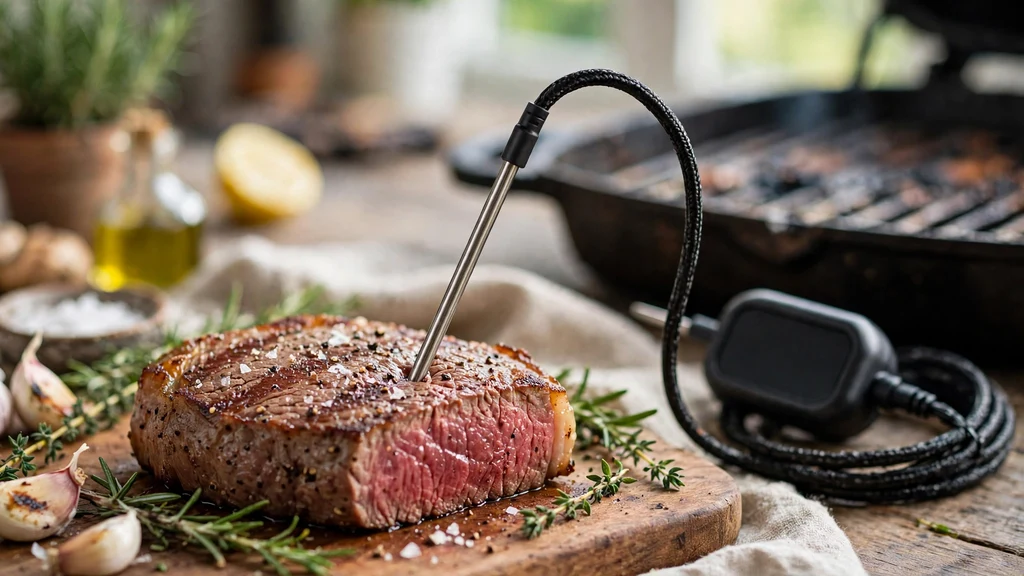
Before poking any meat, you need to know which specific model you have in your hand. ThermoPro makes everything from simple stick-style devices to complex multi-probe units with Bluetooth connectivity. Take a moment to inspect your unit, pop in the required AAA or AA batteries, and locate the power button.
Most modern cooking gadgets feature a back-lit LCD screen, temperature units toggle buttons for Celsius and Fahrenheit, and plug ports if you are working with a wired leave-in model. Familiarizing yourself with these physical traits prevents fumbling around in front of a hot oven or a roaring fire pit later on.
Powering On and Basic Settings
Firing up your device takes just a second, but setting the right parameters makes a massive difference in your results. Press the power button once, and watch the screen light up with the ambient and target temperatures. If the display shows degrees Celsius and you prefer Fahrenheit, look for a small button on the back or inside the battery compartment to switch units.
You can also check out this USDA kitchen thermometer guide for baseline safe cooking marks before programming your custom alarms. Setting your high-temperature alarms correctly ensures you never miss the exact moment your roast reaches its ideal doneness.
Preparing and Inserting the Probe Correctly
Getting an accurate reading relies heavily on how you place the metal spike into your cut of meat. You want to slide the stainless steel tip right into the thickest part of the food, making sure to avoid major bones, thick fat pockets, or gristle. Hitting a bone throws off your reading because bone conducts heat differently than muscle tissue.
- Always push the tip past the geometric center of the roast.
- Keep plastic or silicone cords away from open flames and direct flare-ups.
- Sanitize the metal spike with warm, soapy water before and after every use.
- Let the numerical display stabilize for about five to ten seconds before trusting the final number.
Mastering Instant-Read Models
When you are flipping burgers or pan-searing chicken breasts, speed is everything. Instant-read units give you a reading in two to three seconds, letting you check multiple pieces of food in a flash. Open the folding probe or press the power button, slide the tip into the deepest part of the meat, and watch the numbers climb.
Do not leave these folding devices inside a closed oven or a hot grill, as their plastic casings cannot handle sustained high ambient heat. Pull them out as soon as you get your number, wipe the probe clean, and you are good to go.
Setting Up Leave-In and Wireless Units
Long smoking sessions and slow oven roasts require a leave-in unit that stays inside the food the entire time it cooks. Plug your color-coded stainless steel probes into the main transmitter box, then run the heat-resistant mesh cables through the smoker lid or oven door. Set your target temperature on the base unit or pair the device to your phone.
| Thermometer Type | Best Used For | Leave in Oven? |
|---|---|---|
| Instant-Read | Steaks, burgers, quick checks | No |
| Wired Leave-In | Brisket, pork shoulder, large roasts | Yes |
| Smart Bluetooth | Rotisserie, deep fryers, remote tracking | Yes |
Connecting to Smartphone Apps
Smart ThermoPro units connect to companion applications via Bluetooth or Wi-Fi to let you monitor your cook from the couch. Download the official app from your device’s app store, turn on your phone’s Bluetooth settings, and press the sync button on your transmitter.
The app usually features pre-programmed USDA meat safety guidelines, custom timer alarms, and temperature graphs. Keep your phone within the specified wireless range so you do not lose connection while your brisket is wrapping in the smoker out on the back patio.
Avoiding Common Measuring Mistakes
Even the best gear gives bad data if you use it incorrectly during meal prep. Avoid letting the tip touch the cooking grate, which will show you the temperature of the air or metal rather than the food itself.
Make sure you don’t submerge the entire thermometer body in water when cleaning, as most transmitter boxes are not fully waterproof. Keeping your equipment clean and treating the delicate cords with care prevents premature failure and ensures accurate readouts for years of weekend barbecues.
Calibrating for Precision
Over time, heavy drops or extreme thermal shock can throw off your device’s accuracy. You can test your equipment using a simple ice-water bath filled with crushed ice and cold water.
Stir the mixture, insert your metal probe without touching the sides of the container, and check if the display reads thirty-two degrees Fahrenheit. If it is off by a few degrees, check your manual for a calibration button or reset function to bring it back to dead center.
Frequently Asked Questions
How do I use my ThermoPro meat thermometer?
Turn on the device, select your target temperature or preset, and insert the stainless steel probe into the thickest part of the meat away from bone or fat. Wait a few seconds for the digital display to stabilize before checking the reading.
My ThermoPro meat thermometer isn’t working. What could be the problem?
Most issues stem from dead batteries, a loose probe jack connection, or a severed internal wire inside the mesh cable. Try replacing the batteries first, ensure the plug is pushed all the way into the base unit, and check for any physical damage.
How high does a ThermoPro meat thermometer go?
Most standard ThermoPro food probes can safely withstand ambient temperatures up to seven hundred degrees Fahrenheit, while the internal food sensor maxes out around five hundred and seventy degrees. Always check your specific product manual for exact thermal limits.
Are ThermoPro meat thermometers any good?
Yes, they are widely regarded as reliable, budget-friendly tools for home cooks and backyard pitmasters alike. They provide fast, accurate temperature readouts that help prevent overcooking and foodborne illness.
Conclusion
Mastering how to use thermopro meat thermometer gear takes just a little practice, but it completely transforms the way you approach everyday cooking and weekend barbecues. By keeping your probes clean, inserting them into the right spots, and trusting your temperature targets, you will serve juicy, perfectly cooked meals every single time. Grab your gear, fire up your cooking setup, and enjoy the confidence that comes with absolute kitchen precision.